Draft
The map shows water taps and public drinking water taps known to openstreetmap.
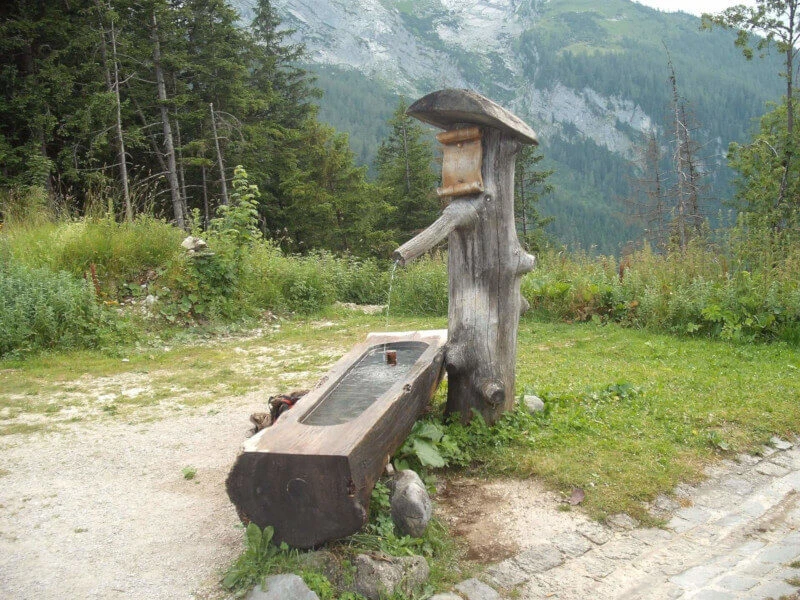
The presence of a tap says nothing about the water quality. In the Netherlands, it is almost always tap water. Water points in Europe generally provide drinking water unless otherwise indicated. This also applies to the many water points with a jet of spring water that you will find in Austria and other Alpine countries, for example.
Using the drinking spots on the map is at your own risk. Use your common sens and ask the locals
Also keep in mind that not all water taps are always accessible. Think of cranes in playgrounds, on business areas or stations that you can only access with a valid ticket.
On the map, nodes are represented with:
- amenity = drinking_water. According to the description of OpenStreetMap, this refers to drinking water.
- man_map = water_tap. This also usually concerns a water tap with drinking water. (These cranes are not shown on the map on OpenStreetMap itself). Water taps with drinking_water set to no are not shown.
- In addition, amenity = fountain, toilets = yes, and natural = spring are displayed. Provided that the drinking_water flag is set to yes (yes) or perhaps (conditional). Fountains are generally not drinkable.
- Natural sources (natural = spring) often are drinkable. These sources marked with refitted = yes or drinking_water = yes are also on the map.
OpenStreetMap© is open data, available under the Open Data Commons Open Database License (ODbL) of the OpenStreetMap Foundation (OSMF). https://www.openstreetmap.org/copyright/en. OpenStreetMap is a trademark of the OpenStreetMap Foundation and is used with their permission. “Kraanwatertappunten” is not endorsed by or affiliated with the OpenStreetMap Foundation.
More drinking water points
- Graveyards often have a tap.
- Campsites generally have tap water points scattered around the site.
Benches
You can also show benches and picnic tables on the map. Because there are very many, this option is only available when zooming in sufficiently.
The data on this in OSM is far from complete.
GPX Download’s Water Taps
Water points and campsites near your route.
Do you have a GPX track of a route that you will be walking or cycling, and do you want to know the water taps along the route? Upload the route using the button in the lower right corner. Click on the track and select camping or water. After a few moments the POIS should appear on the map. By clicking on one of them, you can download them for usage on your GPS device.
Pois on current map
Under the POI buttons on the top-left side of the map, you will find a download link. This will download the POI of the current visible part of the map.
Moving POIs to your GPS device.
Getting the POI to your GPS device is accomplished using the normal methods for your device. A note for Garmin users: some models like the Extra series require that the file start with Waypoint, like Waypoint2.gpx or Waypoint-my-route.gpx.
Downloads per country
Walking in the heat
Start early
The hottest period is between 12 and 15:00. But also in the afternoon it is often warmer than the early morning. Start as early as possible and make sure you’re in with the lunch
Choose your terrain
Forest and coast offer more shade and cooling compared to open terrain.
Dress lightly
Light and airy clothing helps to cool down. A cap and sunglasses against the sun complete the outfit.
And don’t forget to use a good sunscreen.
critters
The oak processionary caterpillar has been in the news a lot in recent years. This can cause annoying respiratory problems. But in terms of disease, the tick is a lot more dangerous. Prevent tick bites. Wear long pants, use DEET and check yourself.
Drink and eat enough
Drinking a lot is an open door. But also eat enough, which often falls by the wayside in hot weather.
Do you get a headache on the way, do you feel nauseous or dizzy? This could indicate heat stroke or overheating. Find the shade and give your body time to recover. If the complaints get worse in the shade, call for medical help.
Incorrect information?
On openstreetmap.org you can add comments to the map.
Water Taps APP
You can also set this website up as an app. In the menu of your (phone) browser, you will find install as app . Desktop browsers have an icon in the address bar.



Hi!
Your website kraanwatertappunten.nl is very useful. Thank you! I want to report a problem I am having. Back in February 2022, I was using your website and it was working perfectly when I was downloading gpx files from the map screen by clicking on the little water tap icon or the camping icon. Now, in April, when I download a file the same way, I do not get a file in XML format, but a file in JSON format. This is not working anymore for me with other programs, like https://gpx.studio . gpx.studio says that the file format is unrecognised. Would it be possible for you to revert your kraanwatertappunten.nl files to be XML again and not JSON. Thank you in advance!
Thanks for reporting the issue.
The problem was a minor typo resulting in a custom geojson format. The downloads will generate gpx files again.
Hi,
Love your app.
It could a great option to also add Graveyards and Campsites.
Campsites are already on the map. Campsites are generally not freely accessible. But you can always ask. For many cemeteries, the water taps are already listed separately in OpenStreetMap. I don’t know if it adds much to start showing cemeteries separately on the map as well.
Hi,
Tap on cemeteries are not all shown.
Maybe you culd also add toilets, a lot of have also tap.
The very best advantage of you app and GPX file is that all the POI water could be in one file.
openstreetmap is really messy. There are amenity=toilets and ‘things’ with toilets=yes.
I imported the first, not the second. Will see to correct that.
Thanks a lot for your website.
Do you think you could also add toilets and water datas from Refuges.info ?
i think those information is from OSM. For water it are all springs as far as I looked. Those are already shown on this site if they have the atrribute ‘drinking_water=yes’ (https://kraanwatertappunten.nl/#!51.00213:8.15897:18)
Maybe it would be alright to add ‘refitted=yes’ as well.